Lesson Two
How booking should
connect to reminders
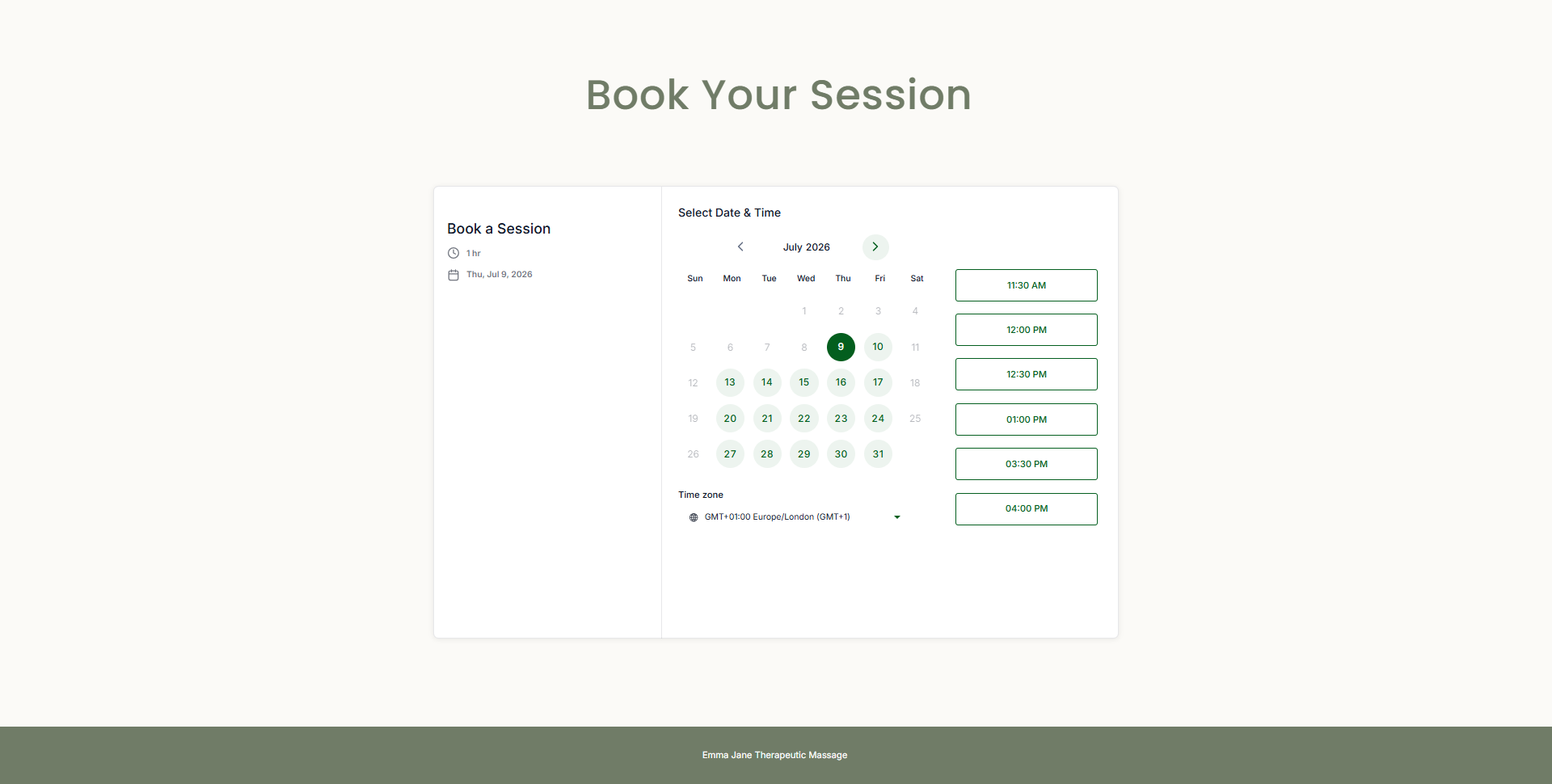
A calendar link lets someone pick a time.
A booking system helps them actually turn up.
Lesson Two
A calendar link is only one step
Most practices have a booking link. That is a good start.
But a calendar link on its own only does one thing: it lets someone pick a time.
The real value is everything that happens after the booking:
- Confirmation
- Useful details
- Calendar update
- Reminder
- Reschedule option
- Follow-up
That is the chain that stops appointments getting missed, forgotten or wasted.
The booking is not the end of the process. It is the start of the next chain.
Lesson Two
The booking chain
A proper booking system connects the whole journey.
The chain
- Enquiry agreed
- Booking page
- Intake details
- Confirmation email
- Calendar entry
- 24-hour reminder
- 2-hour reminder
- Reschedule option
- Attended appointment
Every link in that chain reduces friction. It gives the client the information they need. It also stops you relying on memory, sticky notes or late-night admin.
Prompt
Lesson Two
Confirmation sets expectations
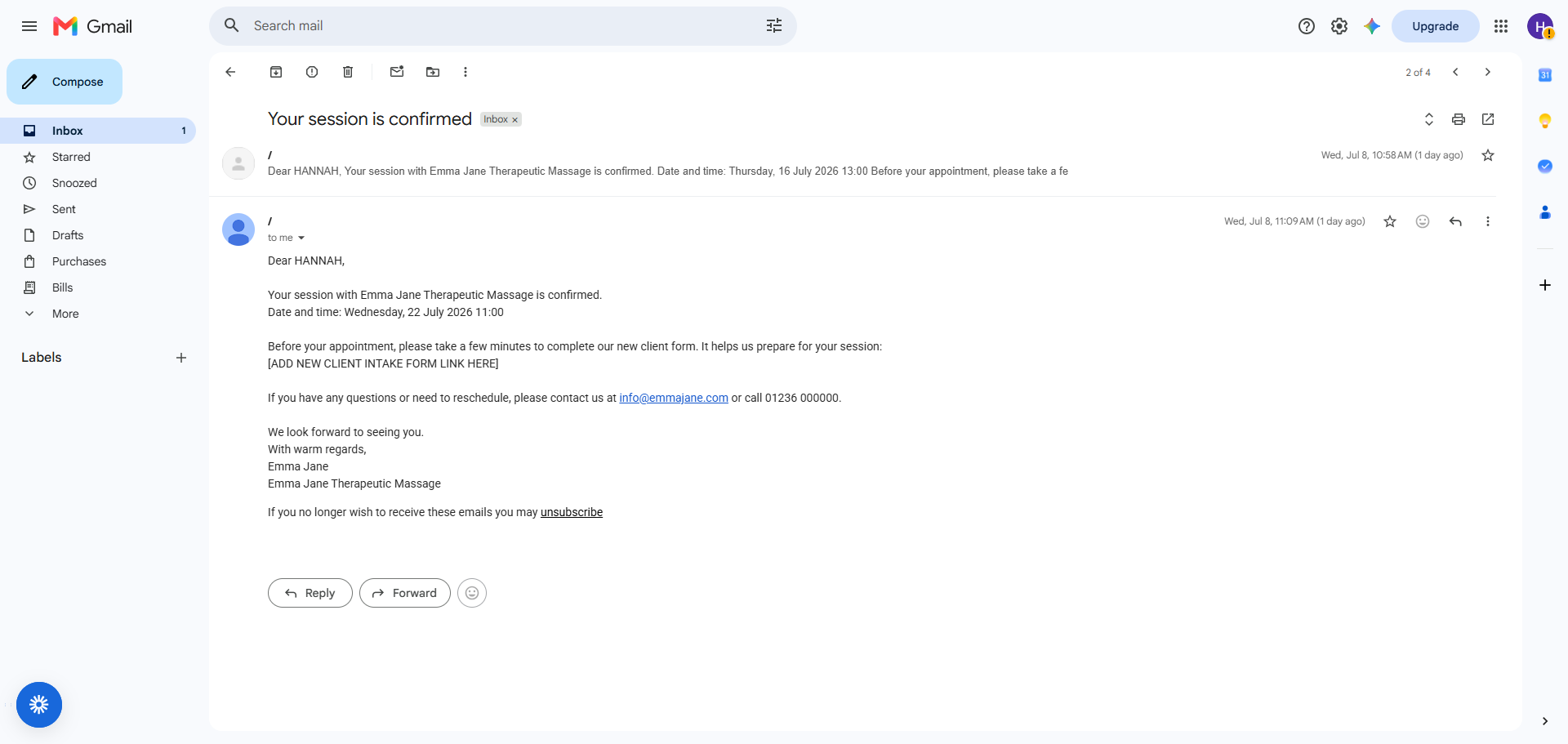
The confirmation email is not just a receipt. It tells the client what has been booked, when it is happening, where they need to go, what they need to know, and what to do if they need to change anything.
It gives the client certainty. It also gives you a cleaner record.
A good confirmation should include
Appointment date and time. Service booked. Location or access details. What to expect. Reschedule or cancellation option. Contact details if needed.
Lesson Two
The calendar should update itself
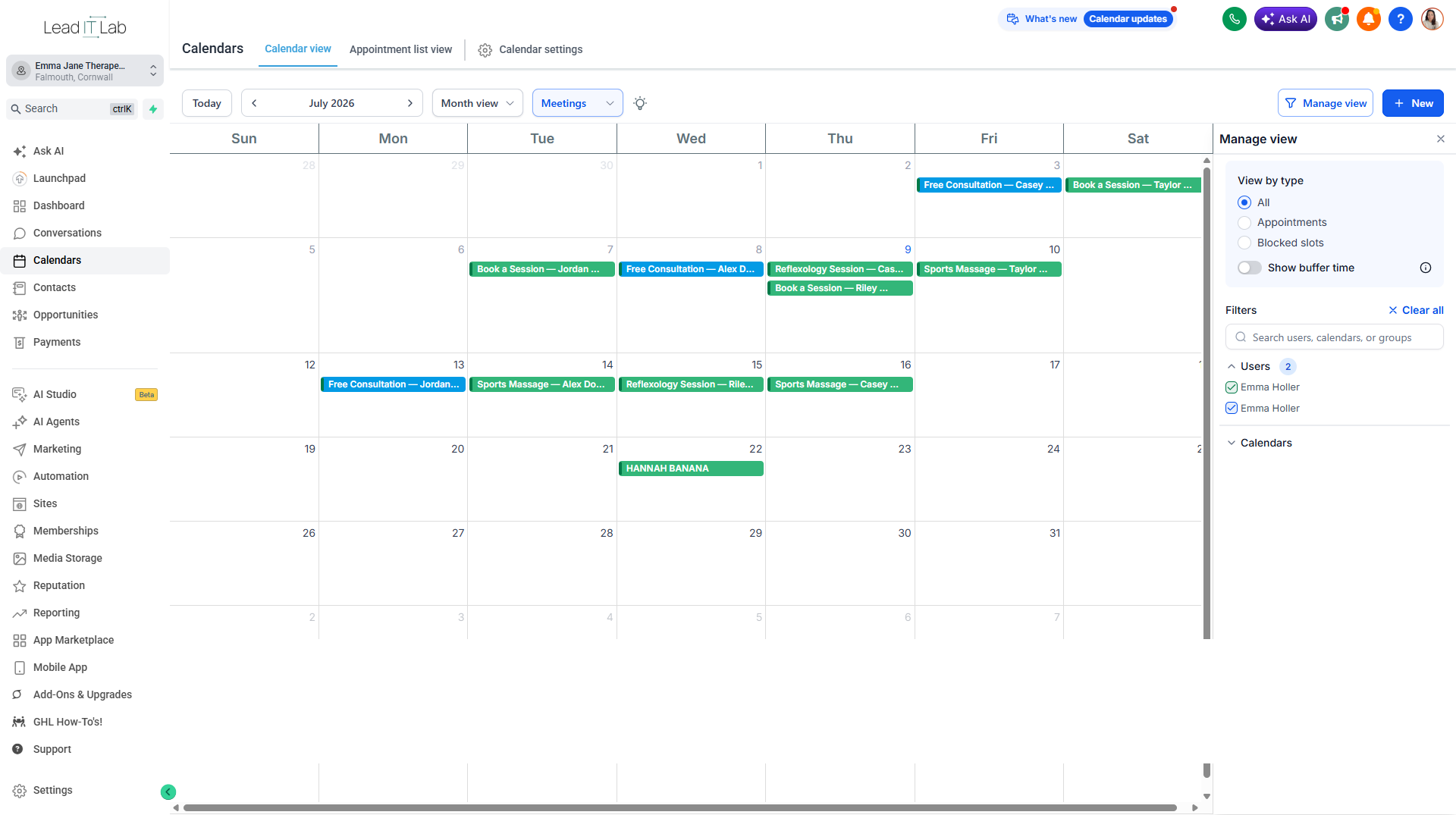
Once Hannah Banana books, the appointment appears in the practice calendar.
That matters because the booking does not live separately from everything else. It connects to the diary, the client record, the pipeline and the reminder sequence.
That means less copying, less checking and less chance of something being missed.
Workbook prompt
Do you copy them anywhere else?
Lesson Two
Reminders are where the money is
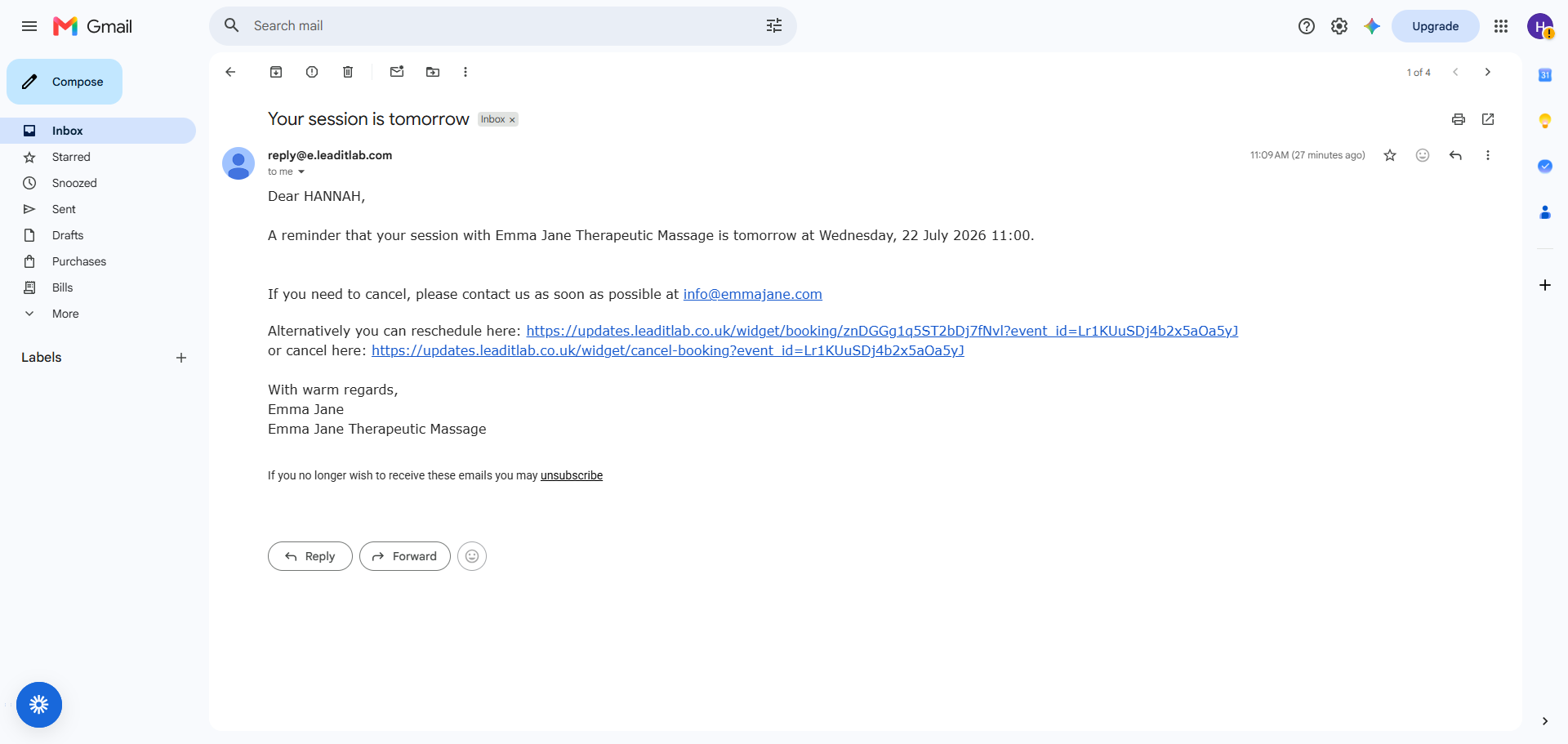
The reminder is one of the highest value parts of this setup.
It catches people before they forget. It gives them the details again. It makes it easier for them to do the right thing if plans change.
A reminder is not nagging. It is client care. And it protects your diary.
The calendar link lets someone pick a time.
The reminder sequence helps them walk through the door.
Lesson Two
Make rescheduling easy
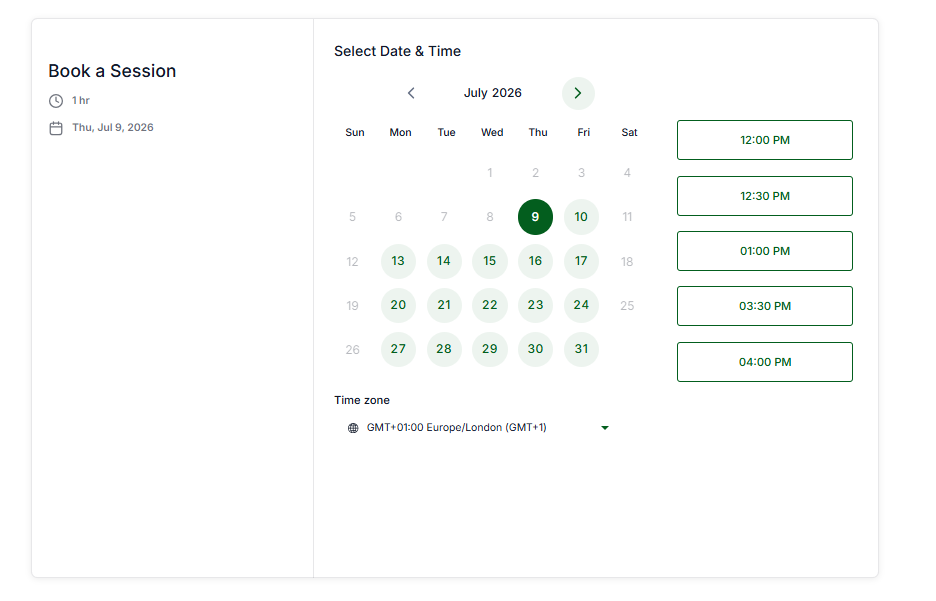
If someone needs to change their appointment, you want that process to be easy. A reschedule link gives them a clean route to move the booking.
Without it, they might forget, delay messaging you, send a message you miss, feel awkward, or not turn up.
Making rescheduling easier does not mean you are inviting cancellations. It means you are giving people a way to move the appointment instead of wasting it.
The easier it is to reschedule, the less likely the space is to be wasted.

Lesson Two, Exercise
What happens between booking and showing up?
Five minutes. Write down the actual steps between someone booking with you and them turning up. Include the steps that live in your head.
Can they reschedule without messaging you?
Lesson Two, Exercise
No-show cost calculator
Now put a number on the missing chain.
What would change if that number dropped?
More reliable income? Less diary stress? Fewer awkward follow-ups? More space for clients who actually want to come?
Lesson Two
Lesson Two takeaway
A booking system is not just about getting appointments into the diary. It is about protecting the time already booked.
The chain matters:
- Booking
- Confirmation
- Calendar entry
- Reminder
- Reschedule option
- Attended appointment
Every missing link is another place where the appointment can quietly fall apart.