Lesson Three
Follow-up without
relying on memory
What happens after the appointment matters too.
Lesson Three
The work does not end at the session
Most practitioners are brilliant during the appointment. The gap usually comes afterwards.
You are straight into the next client. Driving between appointments. Doing the school run. Replying to messages. Trying to catch up with the rest of the day.
That is when follow-up gets missed. Not because you do not care. Because the practice keeps moving.
Follow-up should not depend on you having a quiet moment to remember.
Lesson Three
One click can start the next step
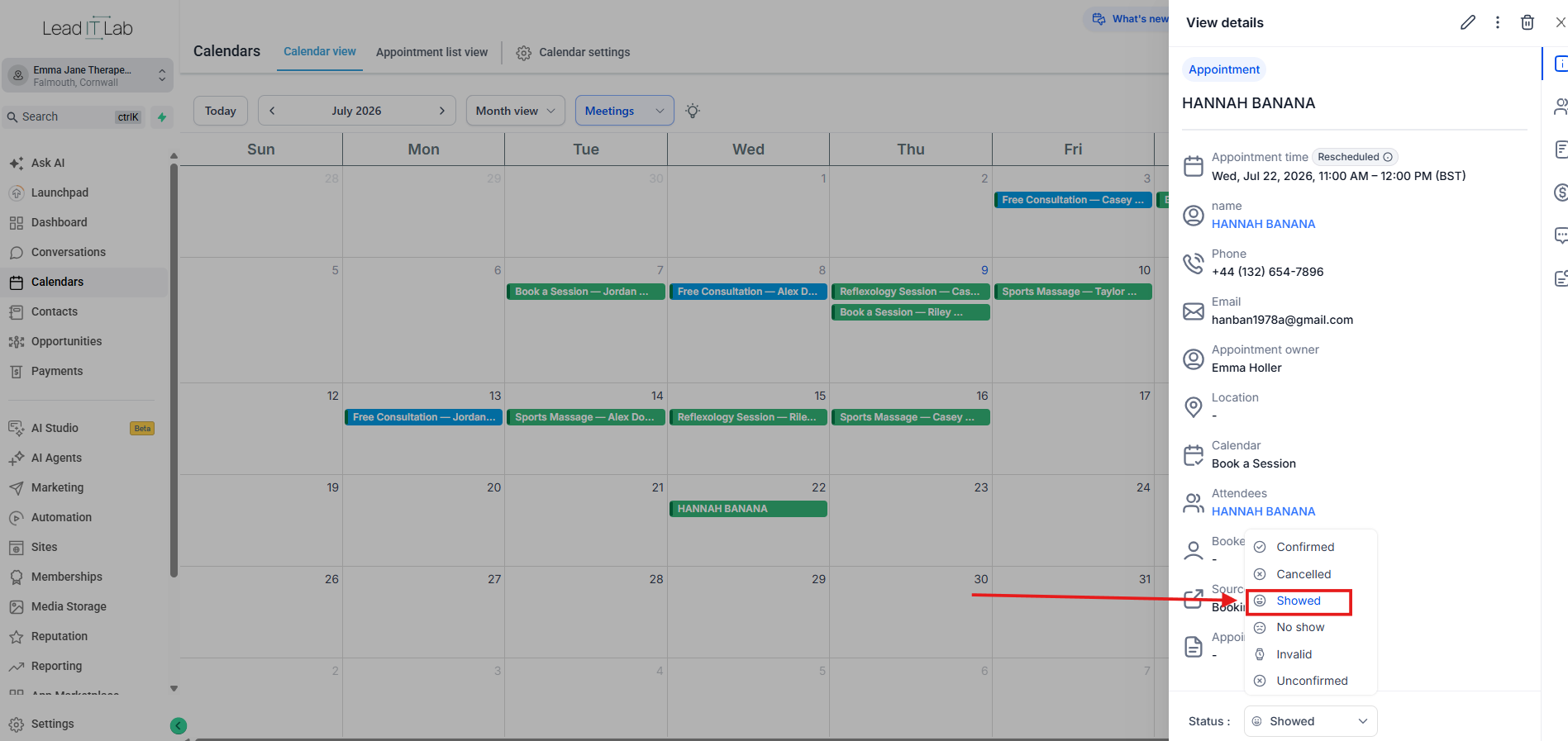
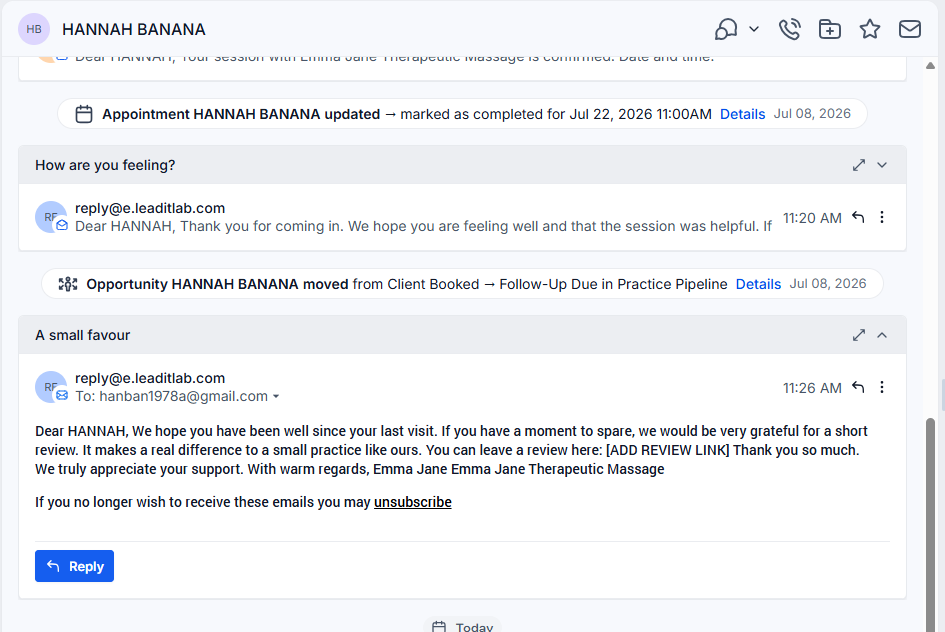
In the walkthrough, Hannah Banana has attended her appointment. That one moment can trigger the next part of the client journey.
- A warm check-in
- A rebooking link
- A visible next step in the pipeline
This is where the setup starts giving you space back.
Instead of finishing the session and hoping you remember later, the next step is already waiting.
Lesson Three
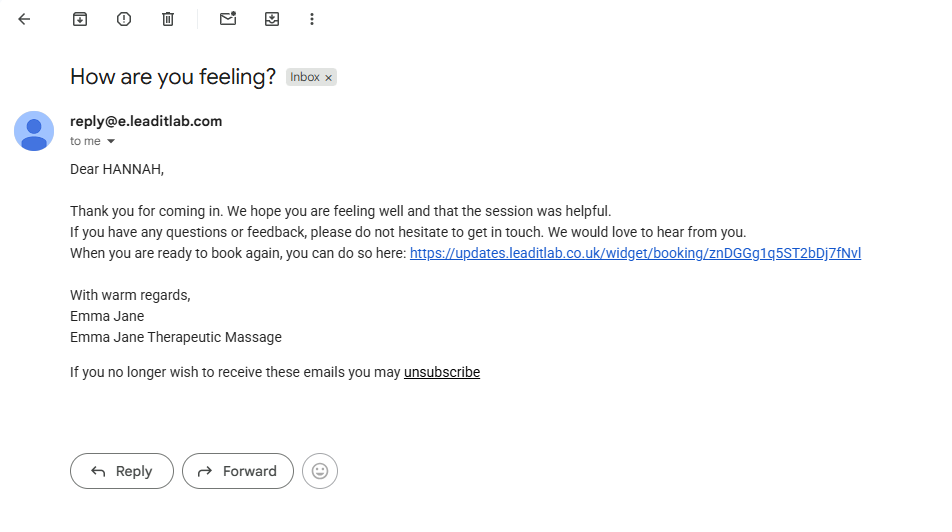
The 24-hour check-in
A short check-in message does not need to be salesy. It simply says:
- Thank you for coming in
- How are you feeling?
- Here is the booking link if you want to come again
That kind of message does two jobs. It helps the client feel noticed. And it puts rebooking one click away at the exact moment they are deciding whether this becomes a regular thing.
What a good check-in does
Thanks them for coming in. Asks how they are feeling. Keeps the tone warm. Puts rebooking one click away.
Lesson Three
The pipeline keeps the next step visible
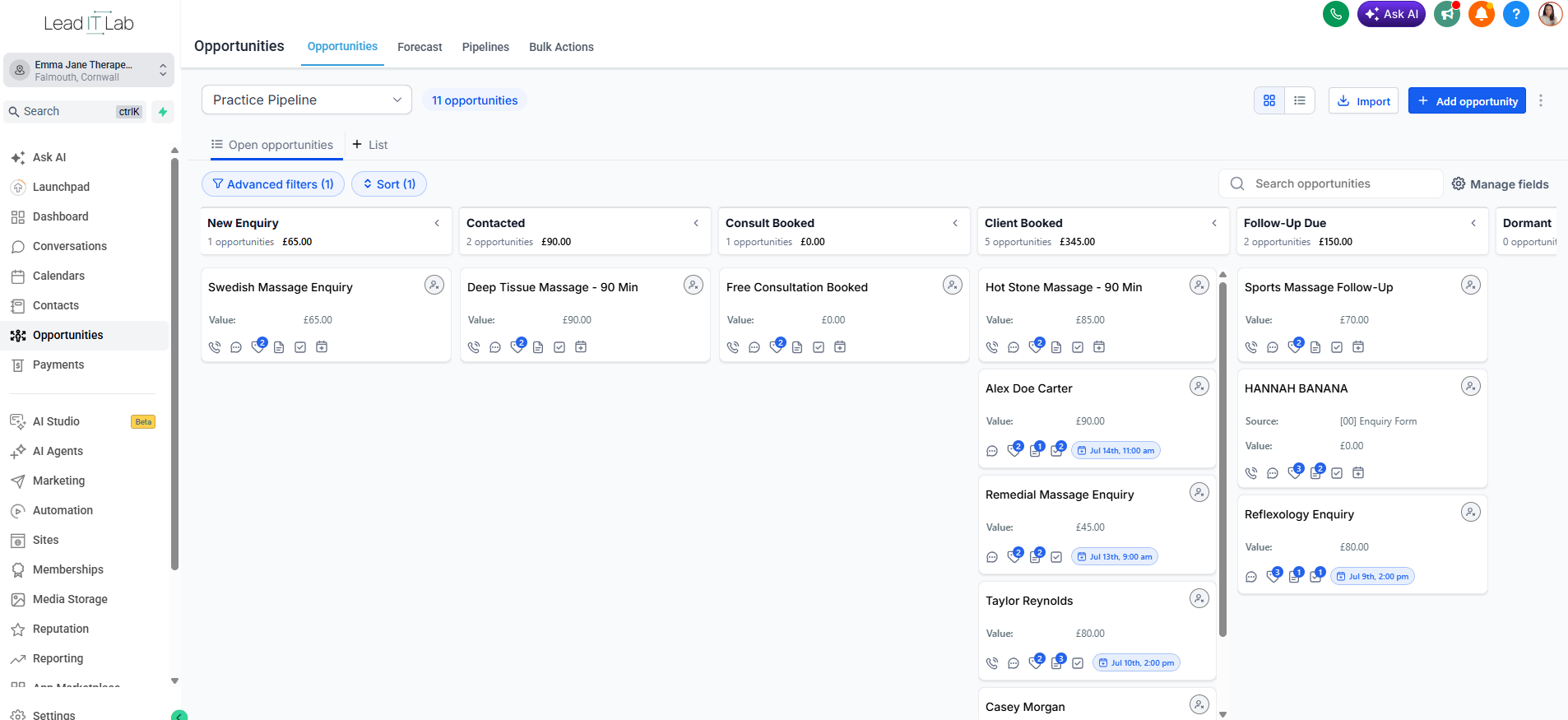
When Hannah moves to follow-up due, the next step is no longer something you need to remember.
The board shows who needs attention. It also shows where they are in the client journey.
That means follow-up becomes visible. Not hidden in your head. Not buried in an inbox. Not left until the end of the day when you are already tired.
Workbook prompt
Lesson Three
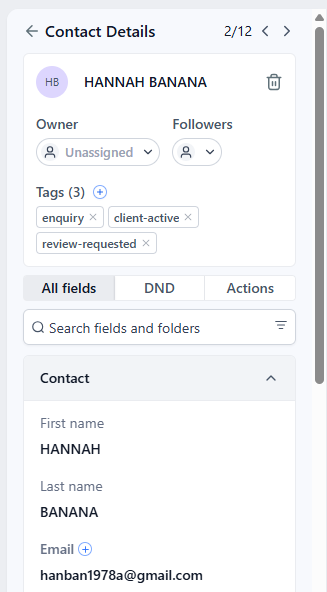
Reviews should not be left to chance
Happy clients often mean to leave reviews. Then life gets in the way.
A simple, polite request at the right time makes it easier for them to help you. It also removes the awkwardness of remembering who to ask and when.
The review request should feel human. Not pushy. Not desperate. Just easy.
If someone has had a good experience, asking for a review is not a nuisance.
It is giving them a simple way to support your practice.
Lesson Three
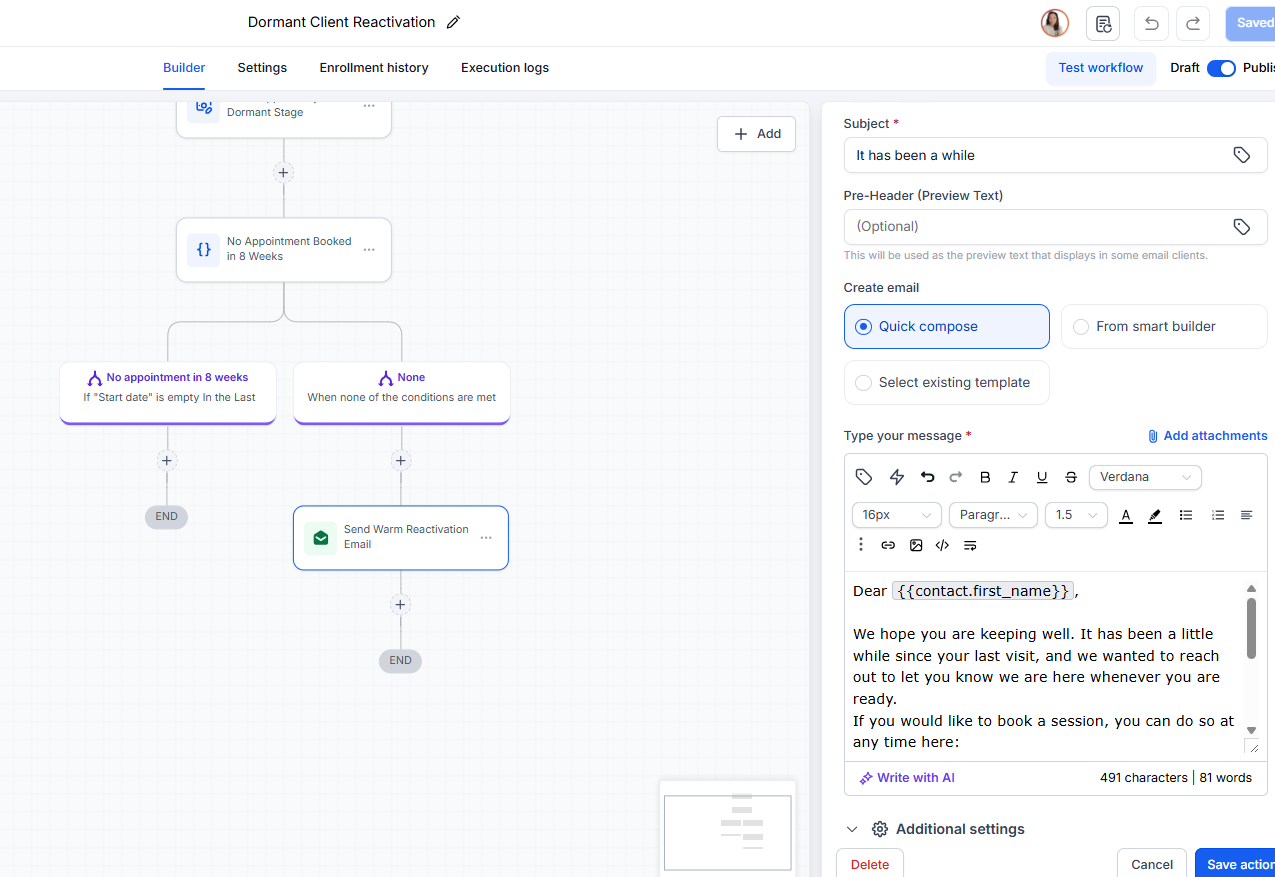
Quiet clients are not always lost clients
Some clients drift away because life gets busy. Nothing went wrong. They just stopped booking.
A gentle follow-up after a set period gives them an easy way back.
No awkward message. No digging through old notes. No relying on you suddenly remembering someone from two months ago.
A dormant client is not a failure. It is a person who may need a small nudge.
Lesson Three
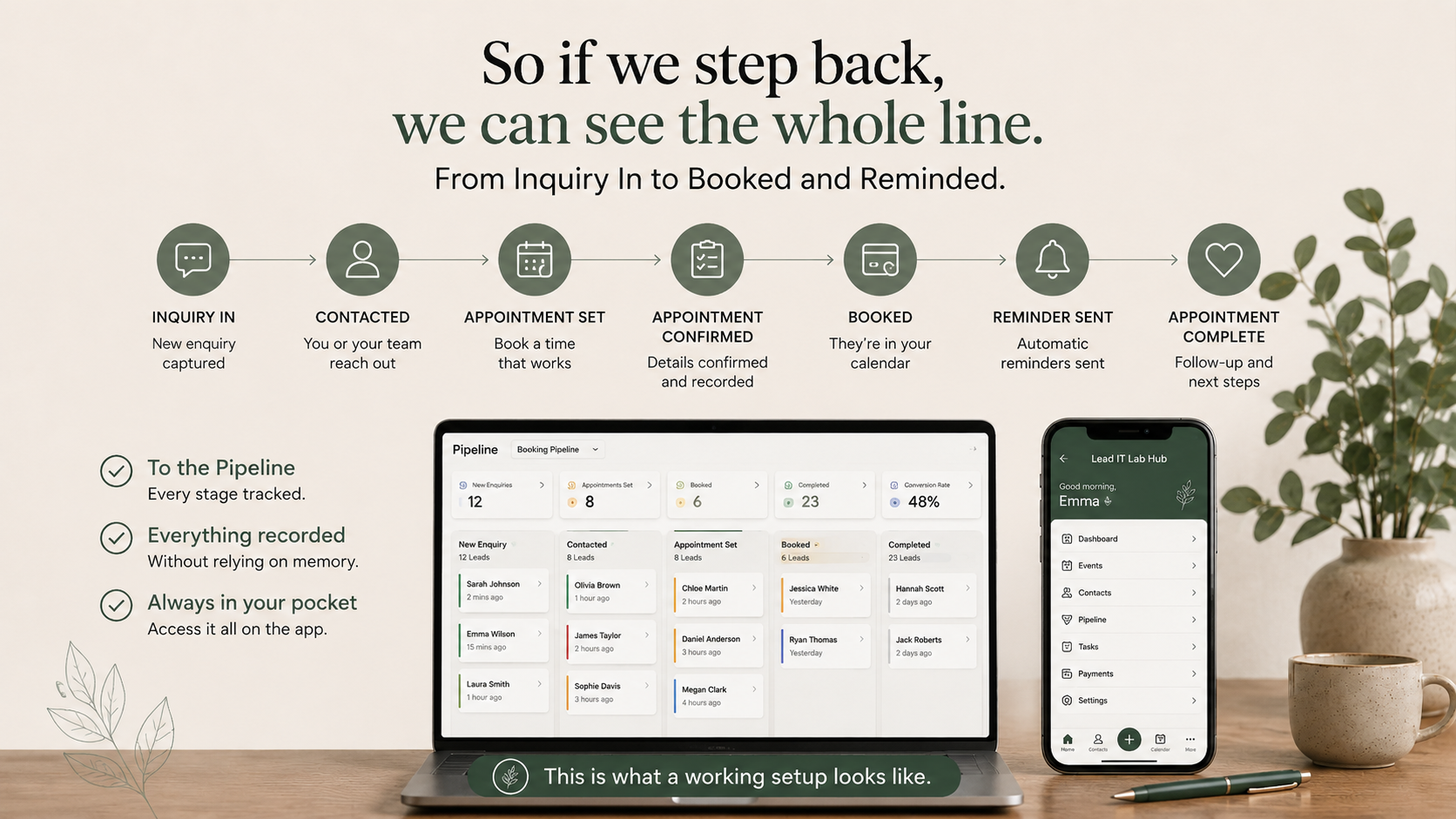
The whole line in one view
When the pieces connect, you can see the whole journey.
Enquiry in. Acknowledged. Contacted. Booked. Reminded. Attended. Followed up. Asked for a review. Reactivated if they drift.
That is the difference between a system and a memory game.
Simple flow
- Enquiry
- Contacted
- Booked
- Reminded
- Attended
- Followed up
- Reviewed
- Reactivated
Lesson Three
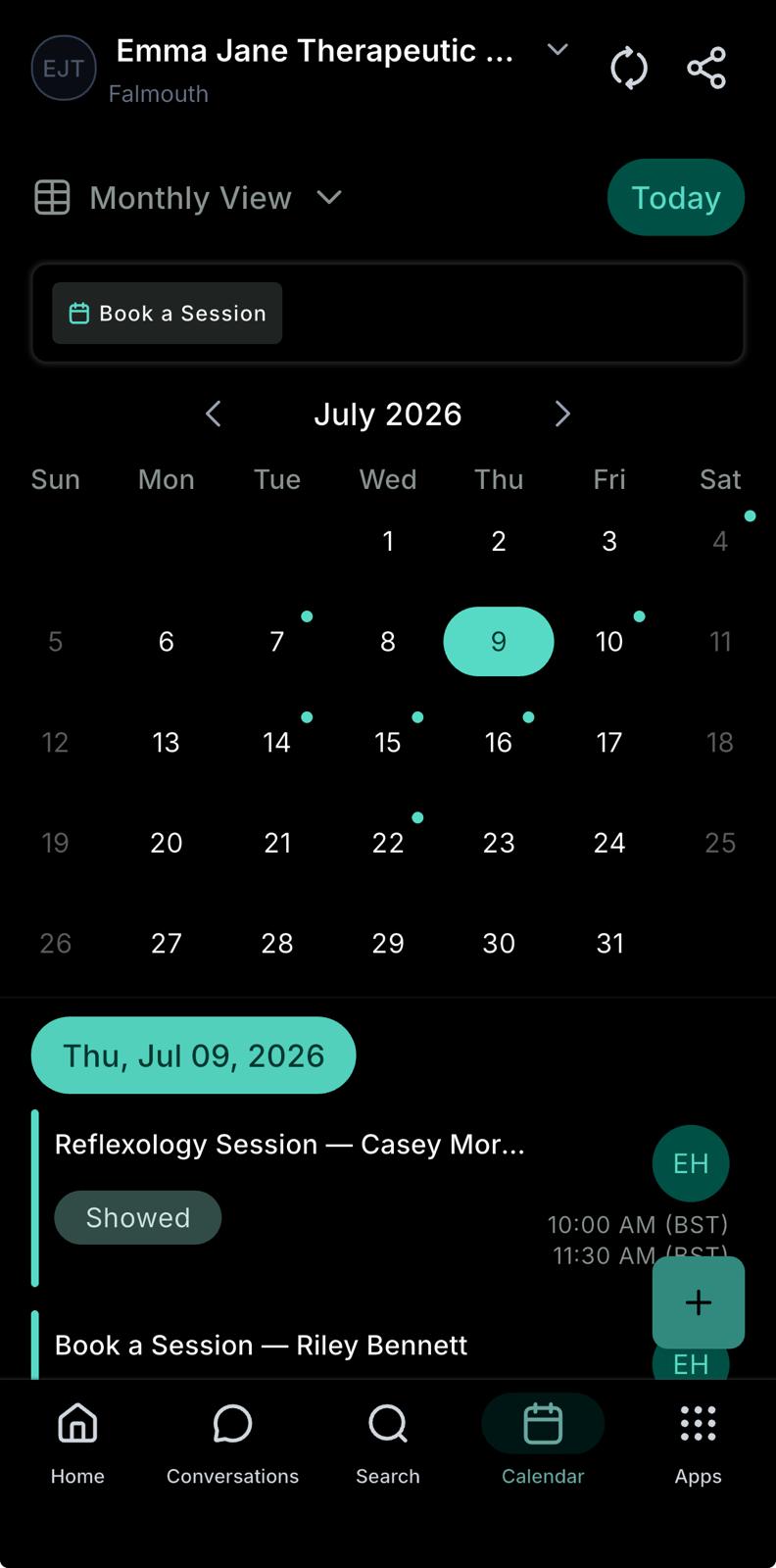
On your phone too
The point is not more software. The point is one working setup that you can access when you need it.
That might be on your laptop. It might be on your phone. It might be between appointments, before school pickup, or when you quickly need to check who is booked in.
The system should support the way your practice actually runs.
Not extra software. Just the pieces connected.
Lesson Three, Exercise
Who needs follow-up?
Think about the last month in your practice.
Lesson Three, Scoring
Your Setup Score
Go through each step and mark whether your practice has it, sort of has it, or does not have it yet.
| Setup step | Have it | Sort of | Not yet |
|---|---|---|---|
| 1. Enquiries land in one place, not scattered across inbox, DMs and voicemail | |||
| 2. Every enquiry gets an instant acknowledgement | |||
| 3. Booking sends an automatic confirmation with reschedule option | |||
| 4. Reminders go out automatically before every appointment | |||
| 5. Clients get a check-in message after their session | |||
| 6. Happy clients are asked for a review | |||
| 7. Clients who go quiet get a gentle follow-up |
Scoring: Have it = 2 points. Sort of = 1 point. Not yet = 0 points. Your score is out of 14.
The score is not a judgement. It is a map of exactly what to fix first.
Your results page turns it into a priority list.